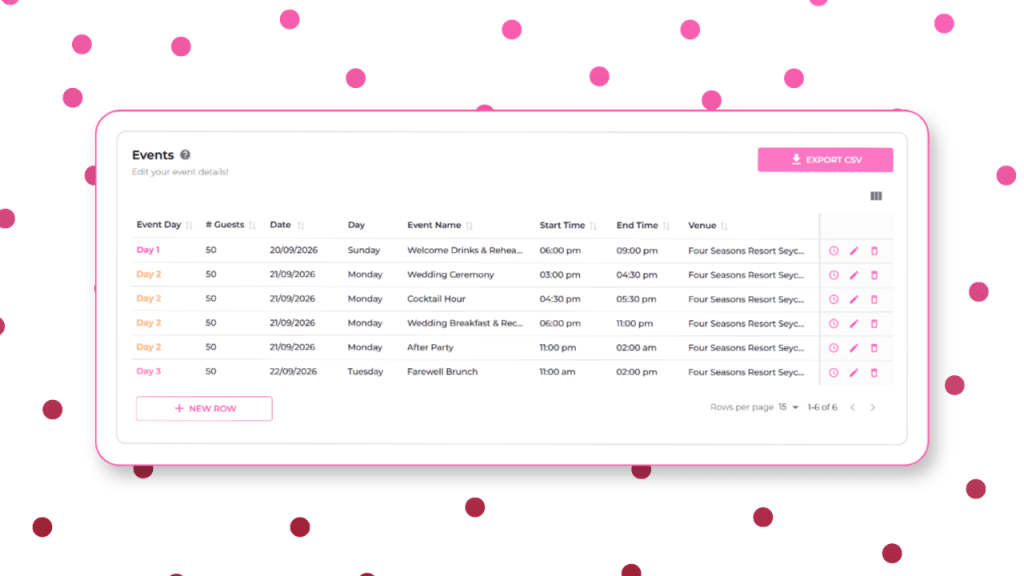
If you’ve ever stood in a hallway ten minutes before a first look, frantically texting three different vendors to ask, “Wait, are we doing this now?” you already know why a proper timeline isn’t a nice-to-have. It’s the one document that stands between a wedding day that flows and a wedding day that scrambles.
WedWise’s Event Flow & Timeline features exist to solve exactly that problem: one structured, shareable plan that everyone, from the photographer to the mother of the bride, can actually follow. And now, with Juno, WedWise’s AI assistant, you don’t even have to build it from a blank page. You feed in your ideas and Juno drafts it for you.
1. Event Flow
Event Flow is the big-picture view of the events that will take place across your wedding celebration. It’s where you keep track of guests, location, time, and venue for each one.
Here are the key things to think about when crafting your perfect event flow.
- How many days? This comes down to a few things:
- Budget: more days means more events to fund.
- Location: if it’s a destination wedding and guests are travelling from afar, a welcome event / ending brunch may be a nice touch!
- Cultural / religious elements: some cultures call for specific rituals or multi-day celebrations.
- Guest (and your own) capacity As much as you’d love five days of back-to-back celebrations… you need time to recoup too. Be mindful about giving guests room to rest so they can bring their best energy, if your wedding day starts at 10am, end the night before early!
Feed your ideas around all of this into Juno and watch it draft the perfect itinerary.
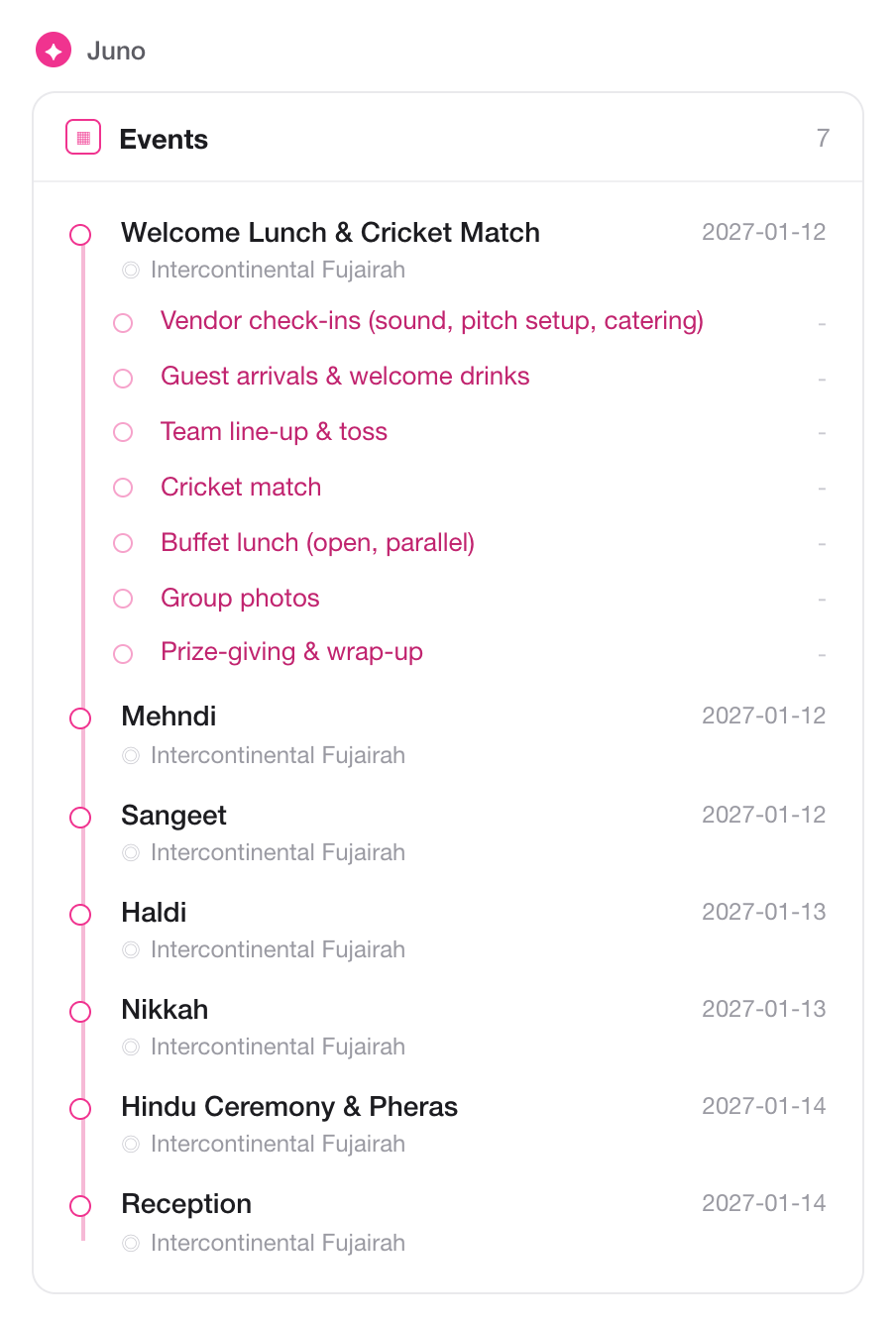
And don’t worry if you don’t have the answers to everything when you start, just ask Juno to draft an example itinerary, and keep modifying it as and when you get clarity.
2. Timeline
This is where the real meat is. The Timeline is all about the exact moments that make up each perfect event. On WedWise, any event you create automatically generates a section for its detailed timeline.
Juno will ask you a few basic questions to draft your perfect timeline, making sure it accounts for the things you might forget about, like:
- Time for hair and makeup before events
- Time for photoshoots before, during, and after events
- Time for venue set-up, venue check-in, sound check, and so on
- Any special moments you really want to incorporate (speeches, first dance, daddy-daughter dance, etc.)
- Noise curfews
- Transport time between events
- Food service
Juno then builds the timeline minute by minute.
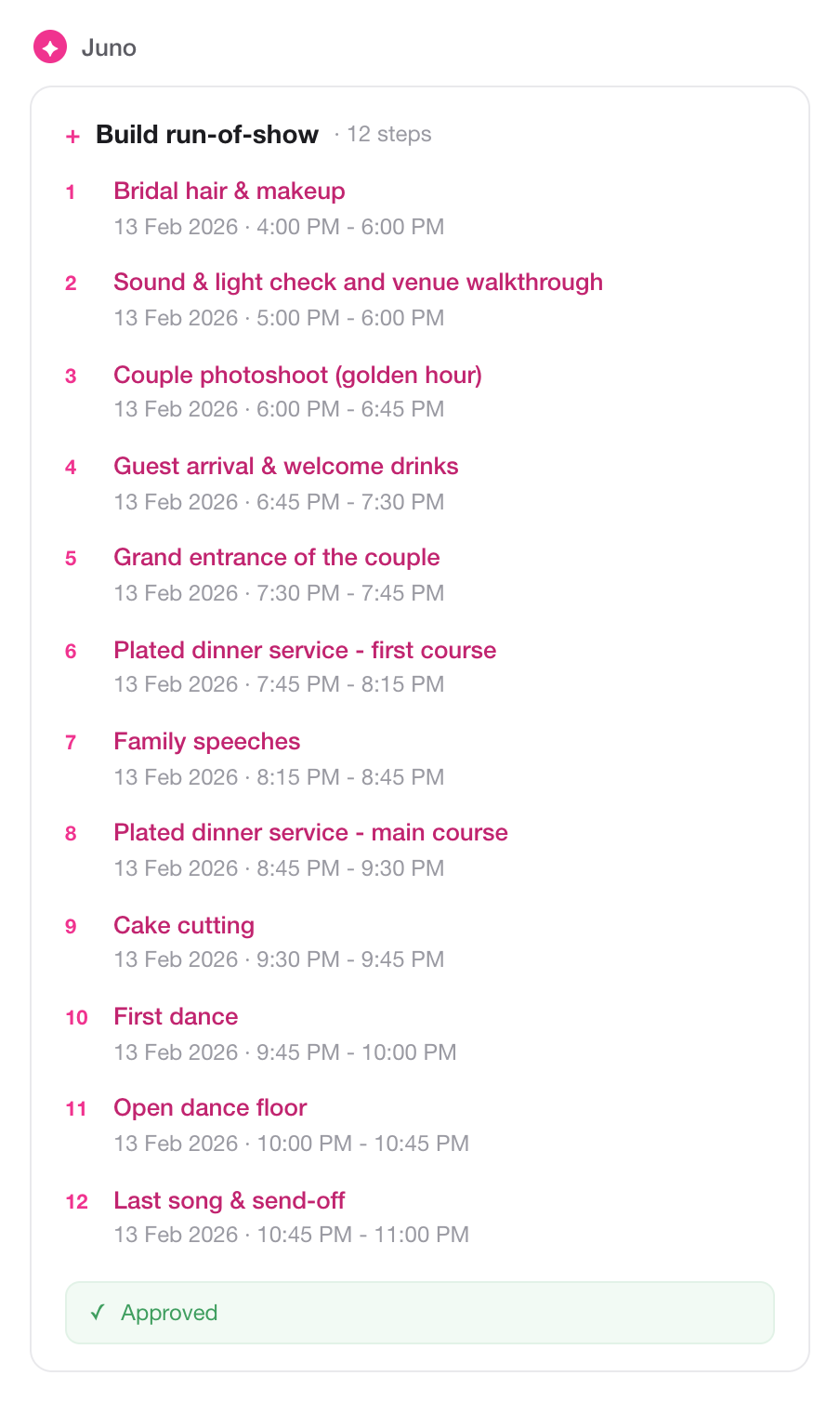
From there, you can add in the details:
- Items required: so no one’s running around looking for the rings just before the ceremony.
- Assign tasks to someone: so the bride isn’t running up and down doing her own sound check. Maid of honour, step up!
- Any other notes: anything else worth flagging against that moment.
And here’s the great thing about our AI: if things change or move, you just give Juno a simple request, “delete this,” “move all events forward by 15 minutes,” whatever you need, and it’s done.
The Bottom Line
A wedding day is really just a sequence of dozens of small, interdependent moments. The couples and planners who feel calm on the day are the ones who wrote every moving part down, in one place, and made sure everyone involved could see it.
That’s what Event Flow & Timeline is built for, and now, with Juno to draft it alongside you, getting there is faster and less daunting than ever.
And when it’s ready, you can download the whole thing into Excel and hand it to your vendors and key people before the wedding, one clean, shared source of truth. Plus, with our app launching soon, you’ll be able to literally follow the timeline as you move through the day.
Head to WedWise right now and experience it for yourself.